Release 12.0.1
Display POS Charges as Single Line Item in Folios
Properties can choose to display taxes posted for a sale transaction item from POS system (InfoGenesis POS, Spa, Golf, and Retail) as a single line item in folios in Stay. Tax can now be captured as part of the sale transaction item and posted as a single line item in the folios (reservations, groups, and house accounts).
This feature is applicable only for properties with Enhanced POS feature setting enabled.
For example, when a POS sale transaction item is posted from a POS system for $50 along with a tax of $10, the tax amount for the POS sale transaction item will be calculated based on the tax settings configured in Stay (as either an Inclusive or Exclusive tax) and displayed as a single line item in folios.
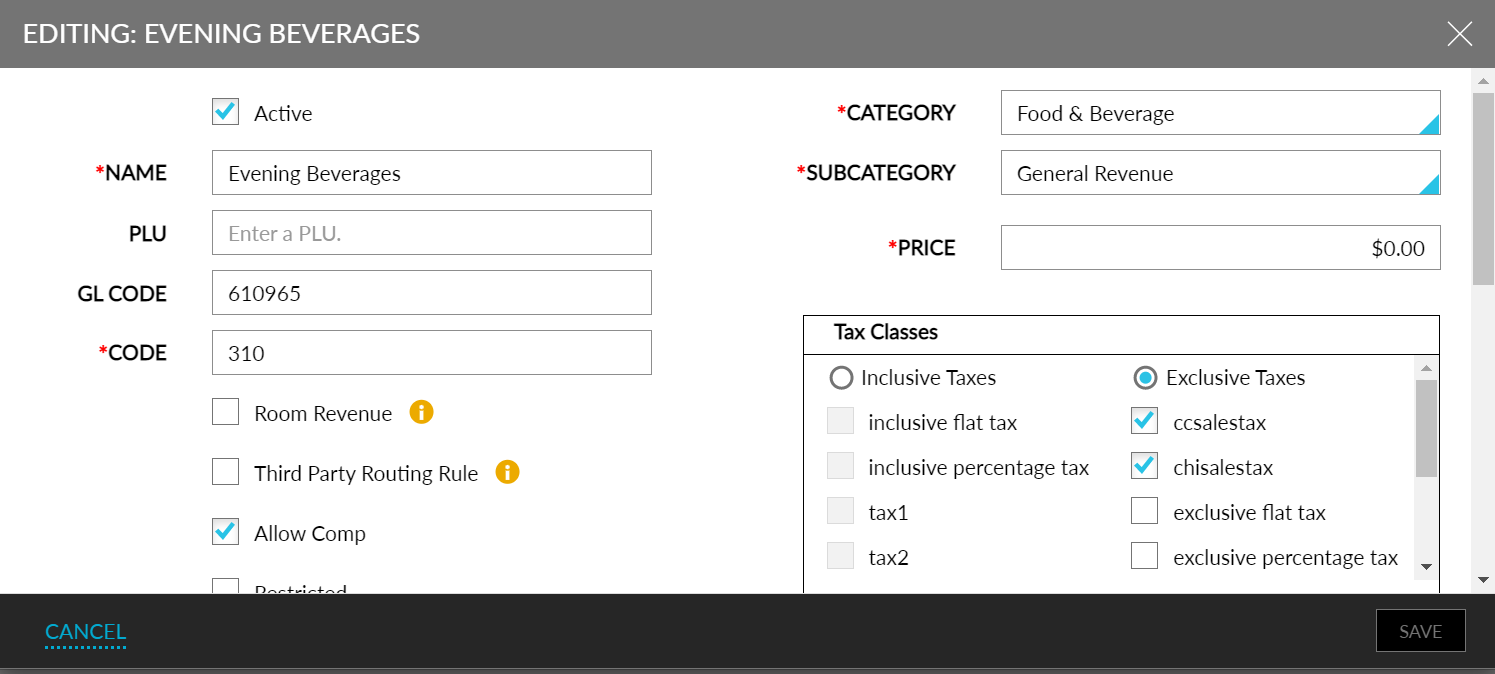
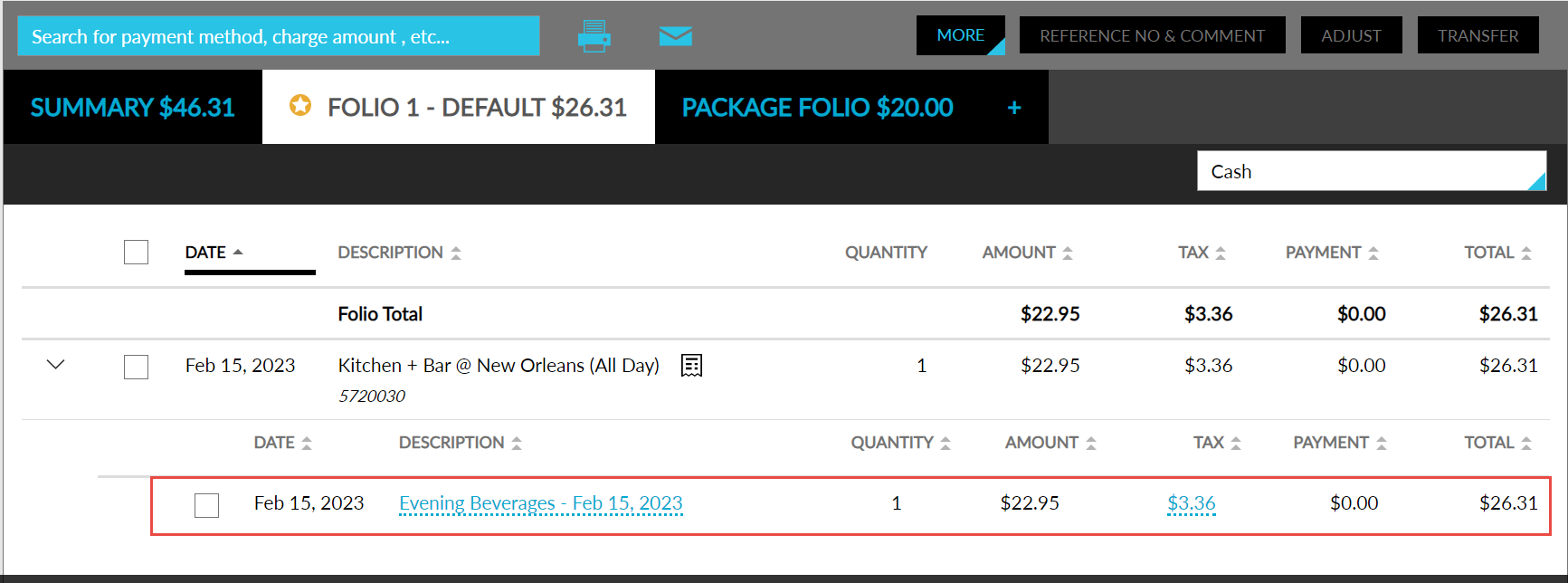
The tax configured for a POS sale transaction item in the POS systems must match the tax configurations for the mapped PMS transaction items in Stay. Whenever the tax configurations for the POS transaction items are modified in the POS systems, the same must be updated in Stay accordingly.
To support this feature, a new option, Do Not Post, is introduced in the PMS Transaction Item drop-down list under the Associate POS & PMS Items tab in the Point Of Sale Setting screen (Settings ➜ All Settings ➜ Appliance Management ➜ Settings ➜ Point of Sale Settings ➜ Associate POS & PMS Items)
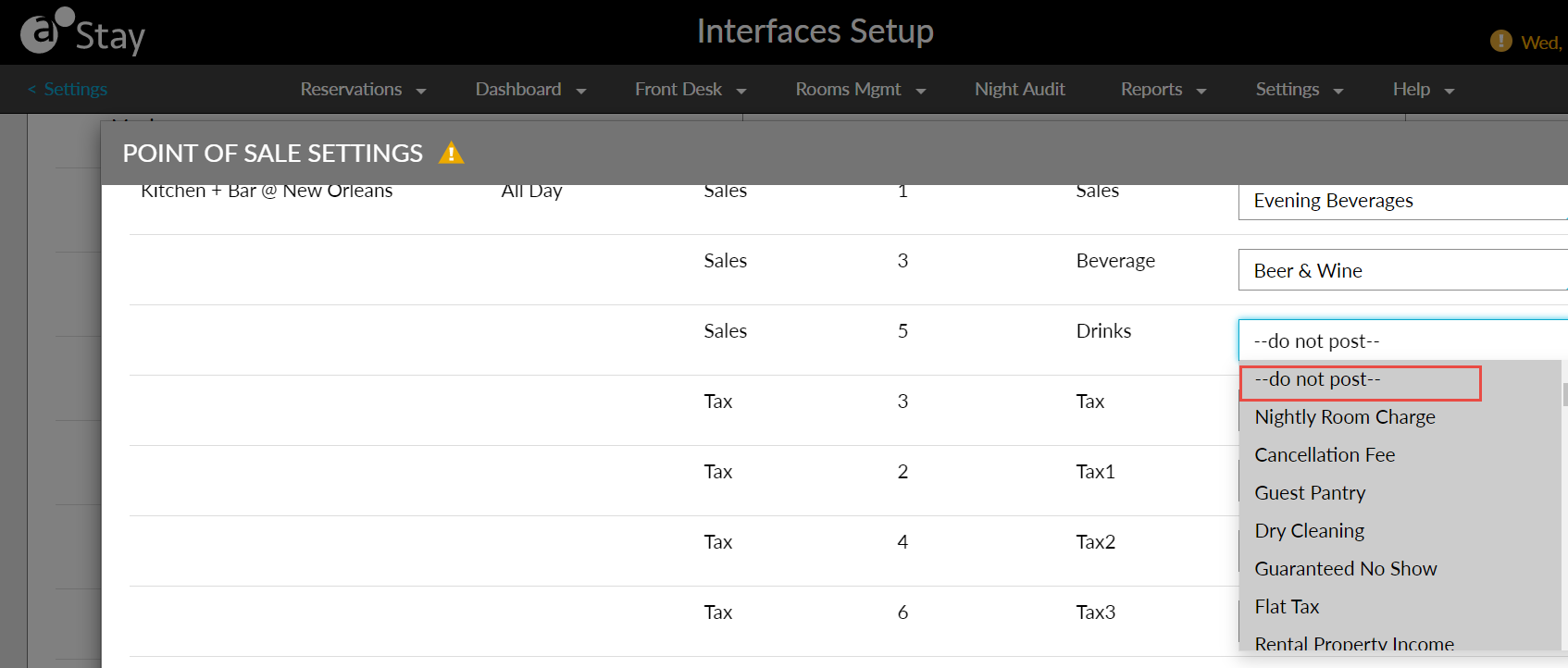
Using the Do Not Post option to map a POS sale transaction item will prevent charges from being posted to the folios.
To display tax as a single line item in folios, users can map the POS tax item with the Do No Post option in the PMS Transaction Item drop-down list in the Associate POS & PMS Items tab in the Point of Sale Settings screen. When mapped, the tax information from the POS system will not be considered, instead, the tax configuration in Stay will be considered for calculation and the amount will be posted as a single line item in folios.
Users can also use the Do Not Post option in the Property Setup Tool Guide. Users can enter Do Not Post under the TransactionItem for the corresponding POS tax item in the PosPmsItems sheet in the Property Setup Tool Guide, to prevent the item from being posted in Stay.
Users can continue to choose to display the tax items from POS systems as a separate line item in folios by mapping the tax items from the POS system with any PMS transaction item in Stay.